Problem
The app can remain on its loading spinner instead of showing the login page when revisited after the computer wakes from sleep or the browser window is closed without fully quitting the browser.
Cause and diagnosis
Before making server calls, BetterForms checks both its server connection status and the browser’s navigator.onLine value. Browsers—particularly Chrome on macOS after sleep—can incorrectly report that they are offline even when the server connection is available. This causes requests to be refused and leaves the app stuck loading.
When the issue occurs, check both values in the browser console before closing the browser:
navigator.onLine
vueapp.$store.state.site.isOnline
If navigator.onLine is false while vueapp.$store.state.site.isOnline is true, the browser’s stale offline status is confirmed.
Workaround and resolution
Fully quit and reopen the browser to refresh its online state. The affected application was running an older build; upgrading to BetterForms V3 is recommended because it includes connection diagnostics and future fixes for this condition.
Thread Attachments
Original Slack Thread
User U06Q27Y8TL6: I have reported this before, but I have found this difficult to replicate, so when it happened this morning I took the chance to share.
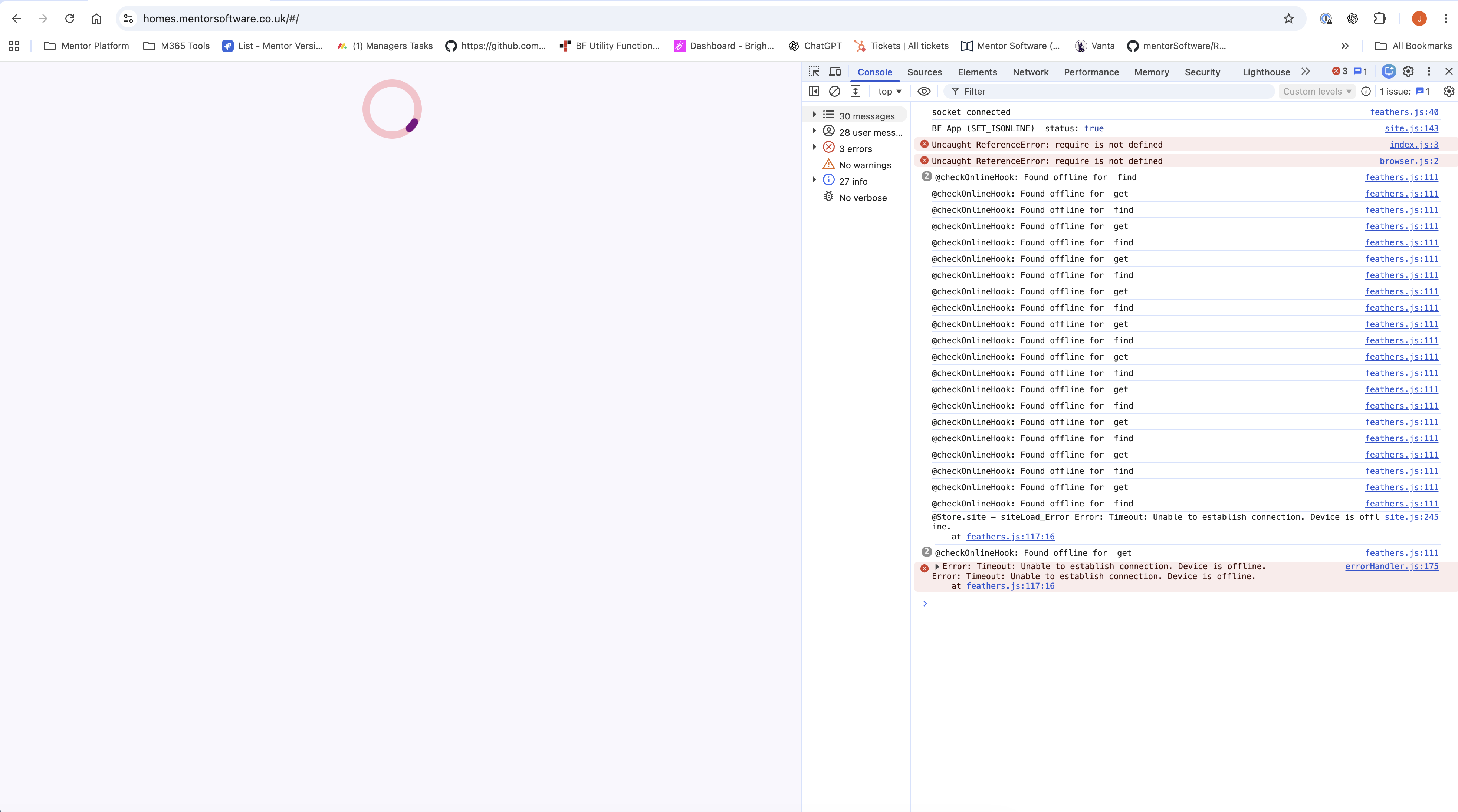
We get this issue where the app does not load. It has been reported by clients and now I have seen it. It occurs when revisiting our app after the browser has been closed (but not fully, such as with cmd+q), or like this morning after I switched on my computer and visited our app. It should show the login page but instead shows our loading circle (now referred to as the dreaded, circle of death). Details in the screen shot console log:
User U06Q27Y8TL6: The only way to fix it, is to fully close the browser and re-open. Fine, we know the work around. But, the clients say they don't have to do that with other apps, which is very valid.
User UBBJX2EHM: Thanks for this detail, investigating.
User UBBJX2EHM: <@U06Q27Y8TL6> Was this in chrome browser and on a Mac?
User U06Q27Y8TL6: This example is, but most of our clients use Windows machines.
User UBBJX2EHM: ok,

Likely cause: before each server call, BetterForms checks both that its connection to the server is up and that the browser itself says it’s online (`<http://navigator.onLine|navigator.onLine>`). In your log the connection is up, but the browser is still saying it’s offline, so the calls are refused and the page never loads. Chrome on Mac is known to report itself as offline after sleep, or when its windows are closed without quitting, even though the network works. That would also explain why only fully quitting Chrome fixes it.

You’re on an older build: your server is running a build from early 2024, not V3. V3 adds connection diagnostics that record exactly this situation, which would make these intermittent reports much easier for us to trace. Any fix we make for this will also land in V3, so upgrading is the way forward.
In the meantime, can you confirm? Next time it happens, before closing anything, run these two lines in the console and send us the output:
```<http://navigator.onLine|navigator.onLine>
vueapp.$store.state.site.isOnline```
If the first is `false` and the second is `true`, that confirms it.
Separately, two scripts in your page header throw `require is not defined`:
• `speakeasy@2.0.0/index.min.js`
• `qrcode@1.5.4/lib/browser.min.js`
These are Node-only builds that can’t run in a browser, so they fail on every load. They’re not causing the stuck spinner.
• QR codes: use the `wa-qr-code` component you already have. Once you’re on V3, you can also load the library on demand with `BF.libraryLoadOnce`, which isn’t available in your current build:
• const QRCode = (await BF.libraryLoadOnce(’<https://cdn.jsdelivr.net/npm/qrcode@1.5.4/+esm>', { moduleType: ‘module’ })).default;
• Note that your `wa-qr-code` component also uses `BF.libraryLoadOnce`, so it won’t work until you upgrade either.
• speakeasy: this is the two-factor code library, and it should run in FileMaker or a server-side hook, not the browser. Checking codes in the browser exposes the secret and can be bypassed.

User U06Q27Y8TL6: OK, thanks. We want to upgrade to V3, but it has caused a few issues in our test env, mainly seems to be with code loading quicker which means we need to re-order some of the functions, and secondly because of the data size limit, we can't save on certain pages because of this. (We had a previous chat about this and you said it was going to be increased in a patch or next roll out). Was this done at all?
User UBBJX2EHM: data limit got delayed in deployment prob drop mid week